Capture the business request
Record the product, vendor, requestor, owners, department, change ticket, request type, urgency, business purpose, and approved use case.
 SaaS Security Review Portal
RequestPath Security
SaaS Security Review Portal
RequestPath Security
Free local Windows desktop app
A local decision-support workspace for documenting SaaS requests, FedRAMP and CMMC review considerations, evidence, reviewer decisions, and approval records before a tool is approved, renewed, expanded, or connected to company data.
Built for review operations
SaaS Security Review Portal is intended for customer-side IT, security, compliance, procurement, and governance teams that need a consistent way to document SaaS review facts. It captures the request, data classification, repository access, AI behavior, FedRAMP status, CMMC scope impact, reviewer notes, evidence, decisions, and approval scope without presenting the result as a certification.
Workflow
The portal is shaped around the real review path: gather enough intake detail, complete reviewer discovery, document the decision, and preserve the record.
Record the product, vendor, requestor, owners, department, change ticket, request type, urgency, business purpose, and approved use case.
Export a branded requester questionnaire, track its status, then import the completed workbook to prefill review fields and link it back to the review.
Assess data types, accidental CUI risk, repositories, Security Protection Data, AI behavior, integration permissions, FedRAMP status, service category, and CMMC scope impact.
Save notes, approval scope, prohibited use, conditions, required controls, approver roles, evidence documents, and reassessment timing.
Create approval record PDFs, export the SaaS register PDF, and preserve review backups as JSON for local retention or controlled handoff.
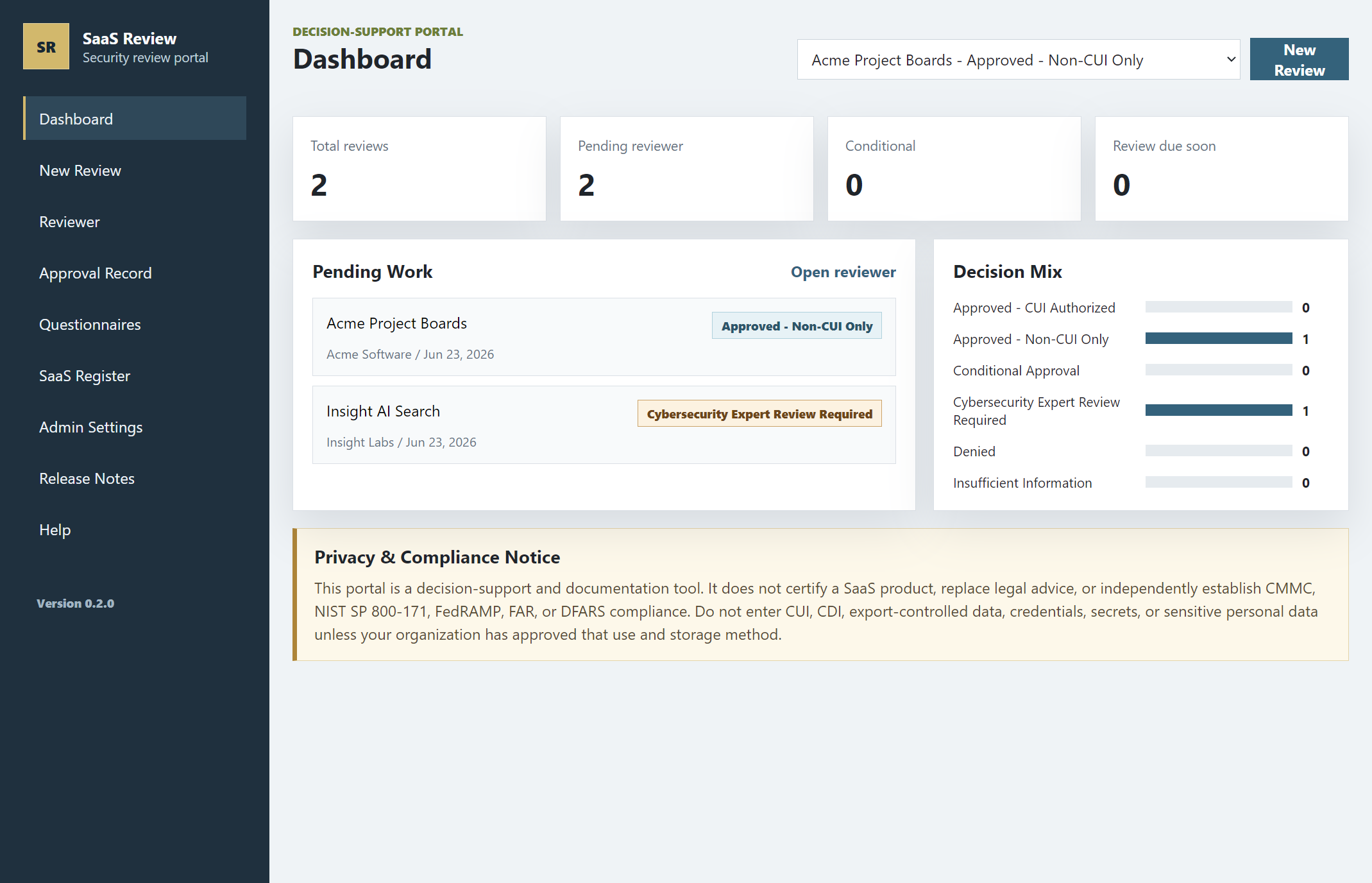
Dashboard and review queue
The dashboard summarizes total reviews, pending reviewer work, conditional items, upcoming reassessments, and the current decision mix. Recommended outcomes include Approved - Non-CUI Only, Approved - CUI Authorized, Conditional Approval, Cybersecurity Expert Review Required, Denied, and Insufficient Information.
Core capabilities
Rules evaluate CUI/CDI concern, FedRAMP authorization path, equivalency claims, AI risk, repository integrations, broad permissions, required controls, evidence gaps, and CMMC scope impact.
Reviewers can record vendor evidence, evidence notes, and copied evidence documents that stay associated with the selected review in the local data folder.
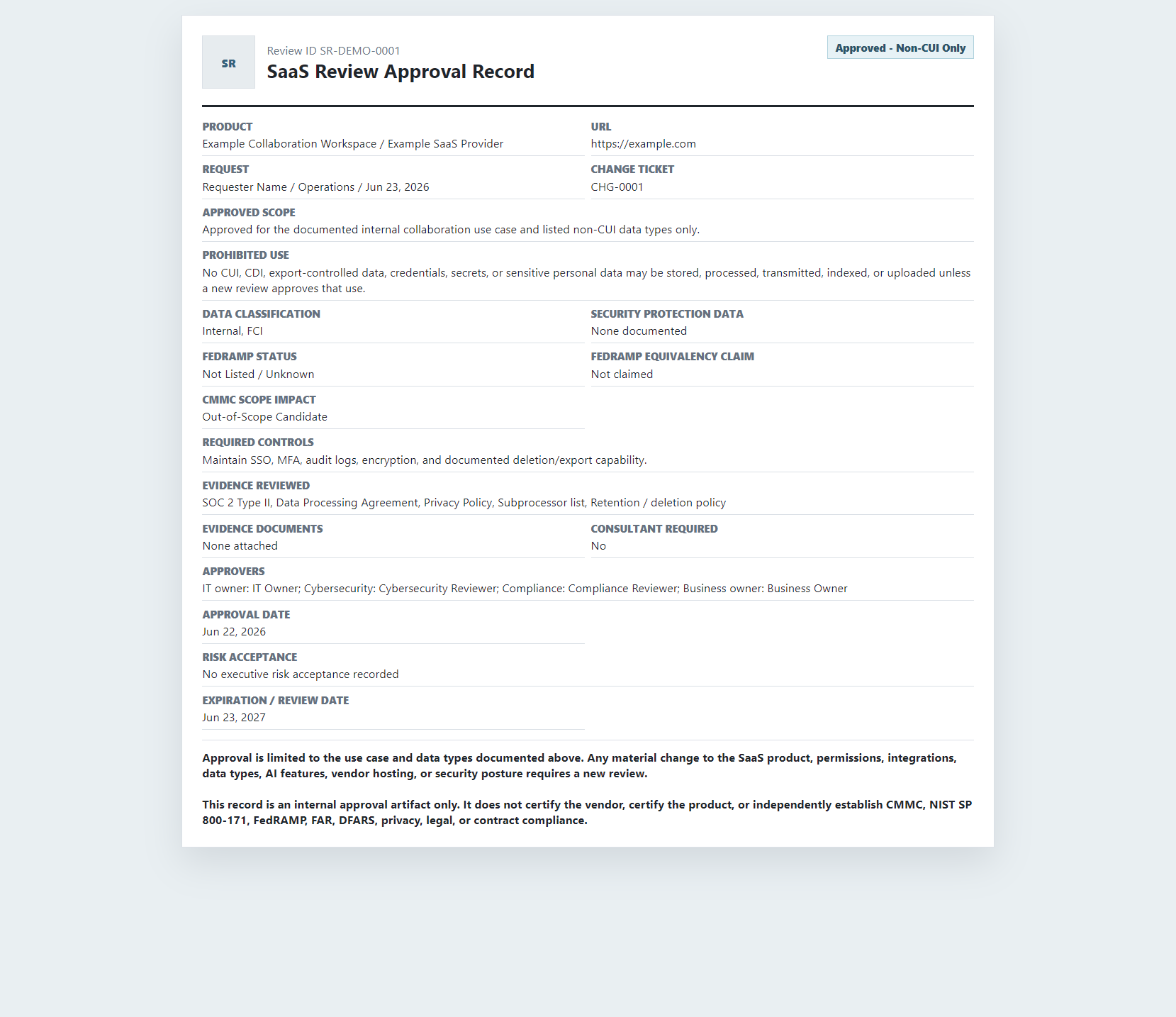
Each selected review can produce a clean approval record with business purpose, data scope, FedRAMP and CMMC notes, evidence reviewed, approvers, conditions, and limitation language.
Exported questionnaires are tracked as sent, received, and linked so intake handoffs do not disappear after a spreadsheet comes back.
Administrators can adjust request types, urgency levels, data types, repositories, FedRAMP choices, service categories, CMMC scope categories, controls, permissions, evidence, and AI flags.
The app records local activity such as saves, deletes, exports, questionnaire imports, evidence uploads, settings changes, and maintenance actions. The log is useful for accountability, but is not tamper-proof.
Records and exports
The output is designed to preserve the reviewed use case, data types, authorization context, evidence package, approvers, approval date, conditions, and prohibited use. The record language states that it does not certify the product or independently establish compliance.
Data handling
The portal is a desktop documentation tool, not a hosted service. Organizations should still treat exported files, evidence copies, questionnaires, and data folders as sensitive records.
Review data, settings, audit events, and questionnaire tracking are saved locally. Evidence documents are copied as normal files into the selected portal data folder.
The desktop app uses operating-system-backed protected storage when available. If OS encryption is unavailable, the app keeps the same file structure but cannot provide the same local encryption protection.
Do not store CUI, CDI, export-controlled data, credentials, secrets, or sensitive personal data unless your organization has approved this app, data folder, and workstation controls for that use.
Free use
The portal is free to use as a local decision-support tool for SaaS review documentation.
Release file: SaaS-Security-Review-Portal-1.0.0-Public-Release.zip
Windows may show a warning because the installer is not code signed yet. Compare the SHA256 hash before installing.
After downloading, compare the file hash with the values below.
SaaS-Security-Review-Portal-1.0.0-Public-Release.zipF37B01F1DA442584FAAA16CCB389129E268AA1144486D2F655C2BCC62576D63830AA0924263C90C59FED9B0EB147E203EB52A4FE74E722CEFD99FA1F62D01347Support contact
Use this form to prepare a support email with details about your question, installation issue, or requested workflow guidance. The site is static, so your email app will open with the message filled in before anything is sent.
Current release
The current packaged desktop release includes the local governance workflow, free-use distribution, updated runtime, and operational polish.
Visible versioning, release notes, evidence document uploads, questionnaire tracking, and local review documentation.
Admin settings, data-folder selection, local audit logging, approval record PDF layout, backup exports, and security notices throughout the app.
Review logic covers FedRAMP authorization, equivalency claims, CUI and CDI concern, AI behavior, repositories, broad permissions, Security Protection Data, evidence, and CMMC scope.
Important limitations
SaaS Security Review Portal does not certify a vendor or SaaS product, replace legal, privacy, contract, cybersecurity, FedRAMP, CMMC, NIST, FAR, or DFARS review, provide centralized multi-user access control, or create tamper-proof audit logging.